Where does the money come back?
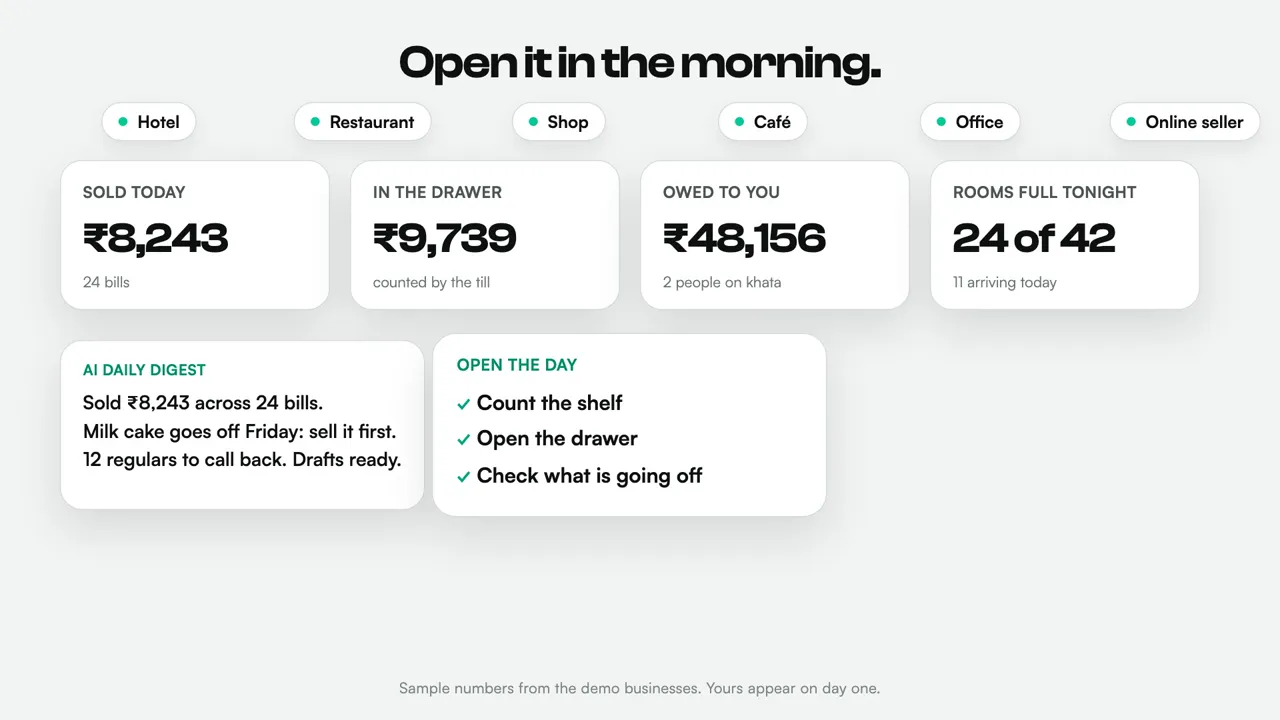
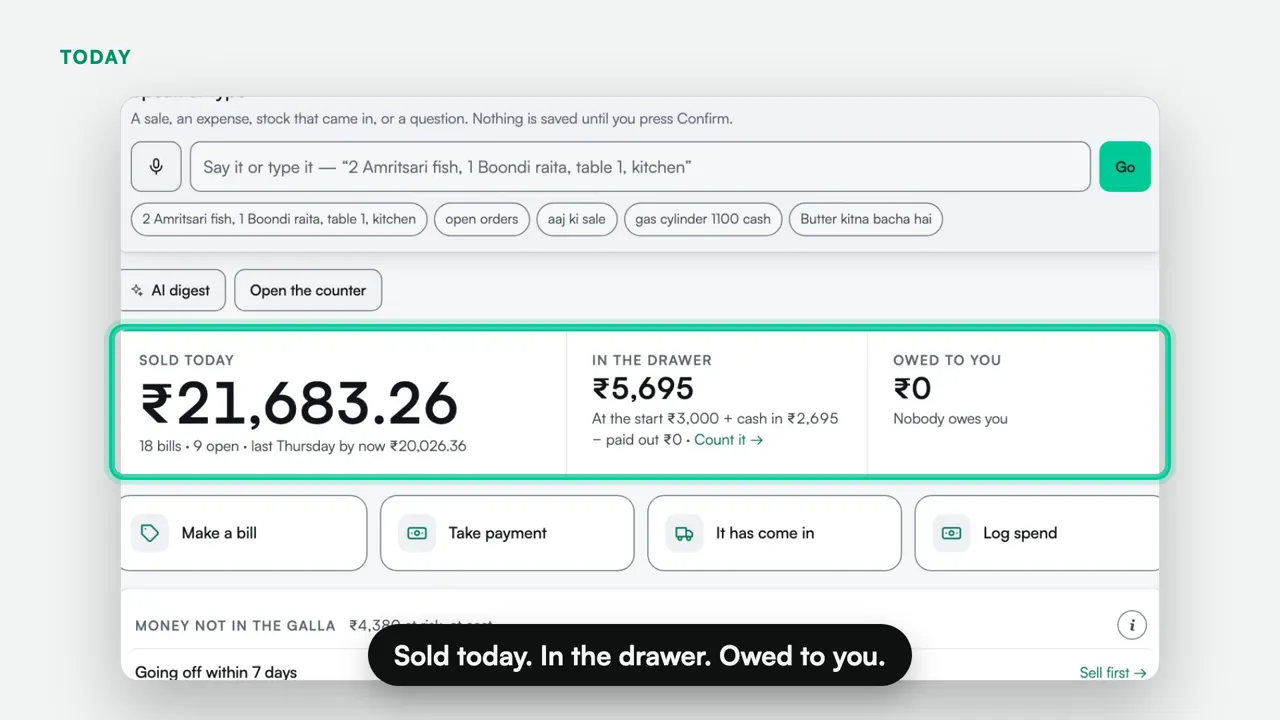
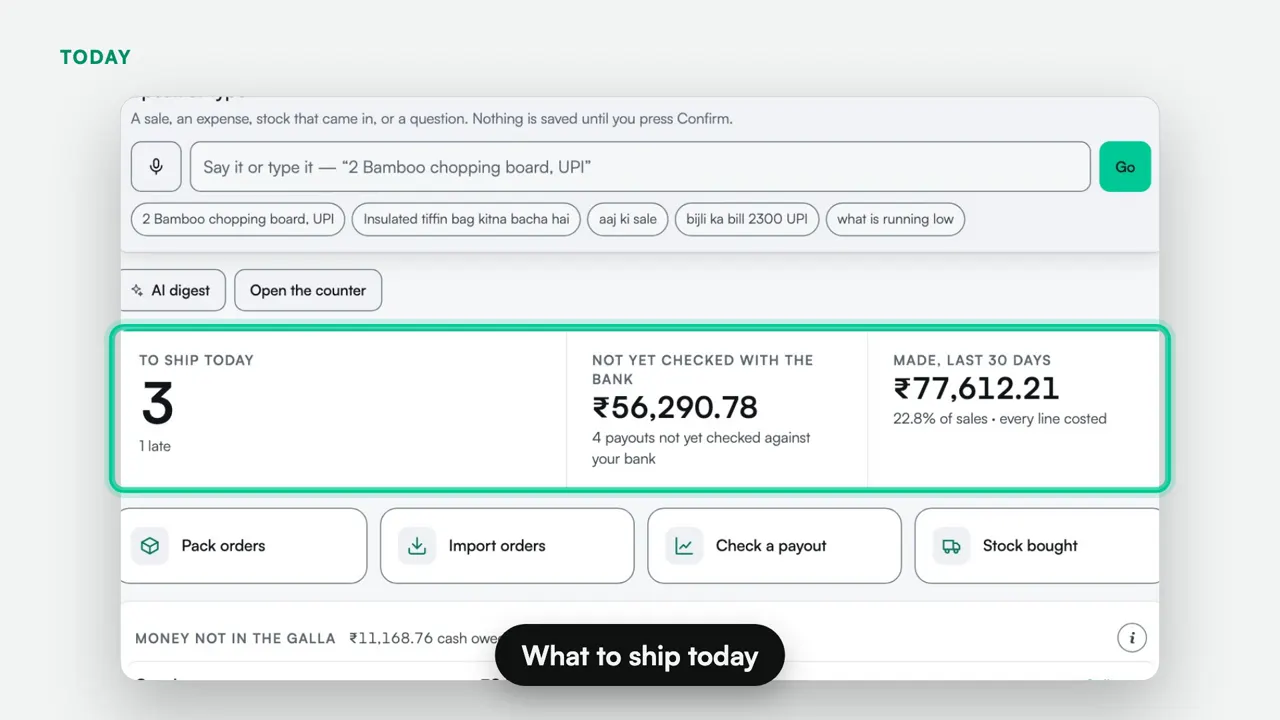
Nivasik does not bring money back by itself; it shows you, by name, the money that is not in the drawer, and getting it back is yours. In the sample sweet shop, on a Thursday afternoon — sample business, invented numbers — that is ₹48,156 owed on khata (2 people · oldest 29 days), ₹47,060 due on pickup within 7 days (4 advance orders · ₹17,080 already taken) and ₹10,524 of stock going off within 7 days, at cost (12 lots · 1 already expired). At a hotel it is the nights nobody billed, each with “bill it” or “write it off”; for a seller, a payout that reached the bank short. Every void, free item and discount carries its reason and a name. Your own figures appear on day one.
Is Nivasik cheaper than Petpooja, Odoo, eZee or Djubo?
Yes, by promise. It is ₹0 for your first 45 days this Diwali, while those vendors publish prices — Petpooja from ₹12,000 (ex tax, billing period not stated), Odoo from Rs 580 per user per month, Djubo ₹3,299 a month for 10 rooms (before 18% GST) and eZee (now Yanolja Cloud Solution) ₹9,000 a month for 6 to 10 rooms — read 24 October 2026. When the 45-day trial ends, show us what you pay now for similar software and we quote you less, in writing. The promise covers a paid plan you are really on, shown by a bill or a renewal quote, compared like for like before tax. It cannot go below a free tier, and it compares price only: what each tool does still differs. You decide whether to continue, and nothing is charged without your yes. This is an opening offer. We may change it, or end it, at any time, without prior notice. The tools also differ in what they do: each comparison page says where the other tool is the better choice and what Nivasik does not do.
What does Nivasik not do?
It does not push rates to MakeMyTrip, Goibibo or Agoda (calendars sync with Airbnb and Booking.com through iCal), take card payments, send WhatsApp messages by itself, file GST returns or issue e-invoices, calculate statutory payroll (PF, ESI, TDS), or receive Swiggy and Zomato orders by itself (they are typed in at the counter). There is no iPhone App Store app or Google Play listing yet. Each comparison page lists these next to the other tool.
Do I have to throw out my current POS or PMS?
No. Run Nivasik beside what you have for a day before you switch. Nivasik cannot read another product's files directly, so ask your vendor for your menu, rooms and customers as a spreadsheet; a menu loads from a CSV file, an existing room list in Excel can be imported, and we do the setup with you in about a day.
How much does it cost for a restaurant, a shop or a hotel?
Nothing, for now: every plan and add-on is ₹0 this Diwali, with no card. It is an opening offer — we may change it, or end it, at any time, without prior notice. A restaurant or a shop is ₹0 a month per counter — a counter (an outlet) is one place where bills are made and a day is closed, so two tills in one shop are one. An online seller is ₹0 for online selling and ₹0 for the counter it runs on. A hotel is ₹0 on the Front desk plan (up to 80 units), on Requests (up to 40) and, from three properties, on Group — a unit is a room or a dorm bed, and the restaurant or bar adds a counter. No per-guest fees, no usage meters, no setup fee.
Is Nivasik really free?
Yes, for now. Nivasik is free this Diwali at ₹0: the whole product, no card, and we do the setup. It is an opening offer — we may change it, or end it, at any time, without prior notice. The calculators — a salary calculator and a GST calculator among them — are free for anyone, signed in or not.
How long does setup take, and who does it?
About a day, and we do it for you. We load your rooms, outlets or office spaces, your menu and your staff, set your rate types and prices, set your response targets per category, and send you the QR codes to print. If your room list is already in Excel, we import it. You get the whole product on day one, not a starter tier that unlocks later.
Will my staff actually use it?
They open one page on the phone they already have, in Hindi or English — no app store, no training day. At a counter, a cashier can be given the counter and nothing else, and a void or a big discount asks for a manager’s PIN. At a hotel, the receptionist logs a walk-in complaint in about fifteen seconds, housekeeping sees their own jobs and not your numbers, and maintenance on the Android app gets a full-screen alert for anything urgent, loud enough to be heard through a silent phone at 2am. Every void, discount and request carries a name, so if something is skipped, that is visible to you rather than to nobody.
What happens at the counter when the internet goes?
A shop's or restaurant's counter, once it has been opened online, keeps billing with real bill numbers and sends the bills, oldest first, when the connection is back; points, offers and kitchen tickets are not available offline — a bill rung up offline carries none of them. The Windows app also keeps working offline. Hotel check-in, check-out and GST invoices need the internet — see How it runs.
Who owns the data, and where does it live?
You do. It sits on managed Postgres in Singapore (AWS ap-southeast-1), encrypted in transit and at rest, with every property’s rows isolated from every other property’s by the database itself rather than by the app. Passwords are checked on our server; the Windows app keeps only a salted check so it can sign you in offline. The database refuses a card number typed into a payment reference. A second copy of your records is written every night, outside the database. Ask and we hand your records over. Leaving deletes your account and its ID scans from the live system; the nightly backup copies, which hold them too, are kept for now, along with menu photos and Windows-app backup files. No lock-in period, no exit fee, no notice period.
Which receipt printers work?
A printer your phone or computer can print to should work, on a 2, 3, 4 or 5 inch roll — Nivasik prints through the device's own print window.
Can a restaurant or a shop use it without the hotel part?
Yes. The POS is available on its own — ₹0 per outlet a month — or beside any plan, and a shop gets a shop’s screens — counter, customer and shop, never room and guest. It bills by barcode or by the kilo, takes split payments and khata, sends a table’s order to the kitchen screen, and a shop counter keeps billing with real bill numbers when the internet drops.
Which kinds of shop is it for?
Shops of every kind. A sweet shop sells by the kilo and costs a tray back to the milk; a medical store bills at the MRP and sells the batch that expires first; a grocery or kirana weighs loose goods and runs khata; and a clothing, hardware or stationery shop scans tags, keeps sizes and colours and takes returns against the bill. Each has a full page: sweet shops, medical stores, grocery and kirana and every other shop. There is no medicine database behind a medical store’s search: items come from its own list, which we load.
Is it a PMS? Does it replace mine?
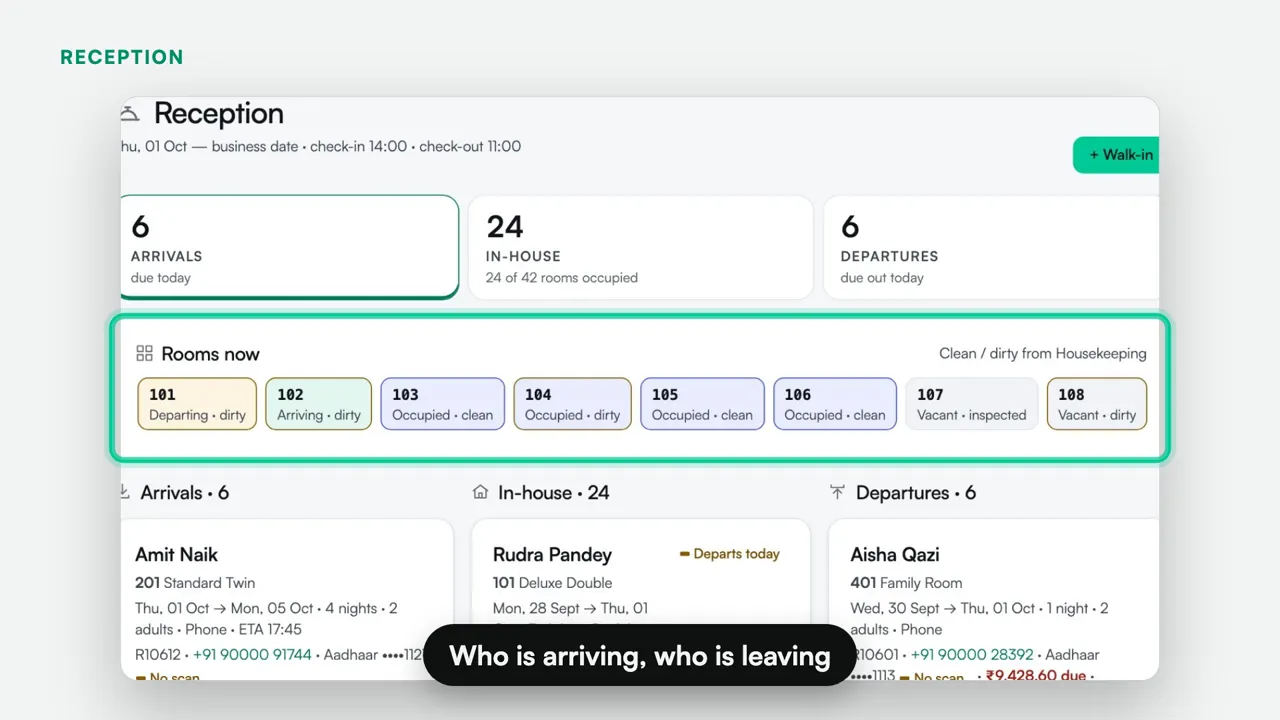
Yes, it is a full property management system. Reservations and a room rack that refuses double bookings, rooms and rates with a price for any night, check-in and check-out, folios, payments, GST invoices, a housekeeping board, and a night audit that can close the day by itself. It also carries the operations half that most PMS products do not have: guest requests with an owner and a clock, staff permissions, assets and preventive maintenance, expenses against a vendor. If you already have a PMS you trust, keep it and run Nivasik alongside for requests, housekeeping and maintenance.
Can I run more than one property on it?
Yes. Each property gets its own address, its own staff and its own data, isolated from every other property at the database level, and from three properties the group rate applies with one invoice for the whole group.
Does it work for a hostel, a resort or an office?
All three, and the words on screen change with the building. A hostel gets dorm beds with their own QR codes and the high-turnover front desk that goes with them. A resort gets a spread-out property with an asset register per AC, geyser and lift, and maintenance jobs raised before something breaks. An office gets QR codes on washrooms, pantries, meeting rooms and parking, its own request categories, a stock register that covers both the tea and coffee you count and the heater you follow, and a vehicle register with plate, owner and phone.
Do guests need to install anything?
No, and that is the point. They scan the QR sticker in the room with the normal camera, tap a category, and they are done. No app, no login, no phone number. The request lands on the right person’s phone with a response target already running, and the guest gets an answer instead of walking down to reception.